Building your first website seems like a daunting task until you break it down into simple steps. Whether you’re planning to run a blog, launch a small business site, or try e-commerce for the first time, WordPress remains the most accessible platform to start with — no need to write code from scratch.
In this guide, the Netloria team walks through the entire path step by step: from choosing a domain to your first dashboard settings. If you run short on time or technical know-how at any stage, we at Netloria take on the whole process and build the site for you turnkey — but understanding the logic is useful either way.
WordPress remains the most popular content management system in the world — it powers a huge share of all websites on the internet. The platform is free, open source, and has practically unlimited customization options: from a simple blog to a complex online store.
Another advantage is its massive community of users and developers. For pretty much any typical problem, there’s already a ready-made plugin, article, or forum thread with a solution, so a beginner rarely gets stuck alone with a difficult question.
Before moving on to the site itself, you’ll need two basic things.
A domain name — your website’s address on the internet, like yourbrand.com. Choose something short and easy to remember that reflects your brand.
A hosting provider — the service that stores your site’s files and makes them available online. Hosting quality determines your site’s speed, security, and stability, so this isn’t the place to cut corners. We covered how hosting affects load speed in more detail in our article on speeding up a WordPress site.
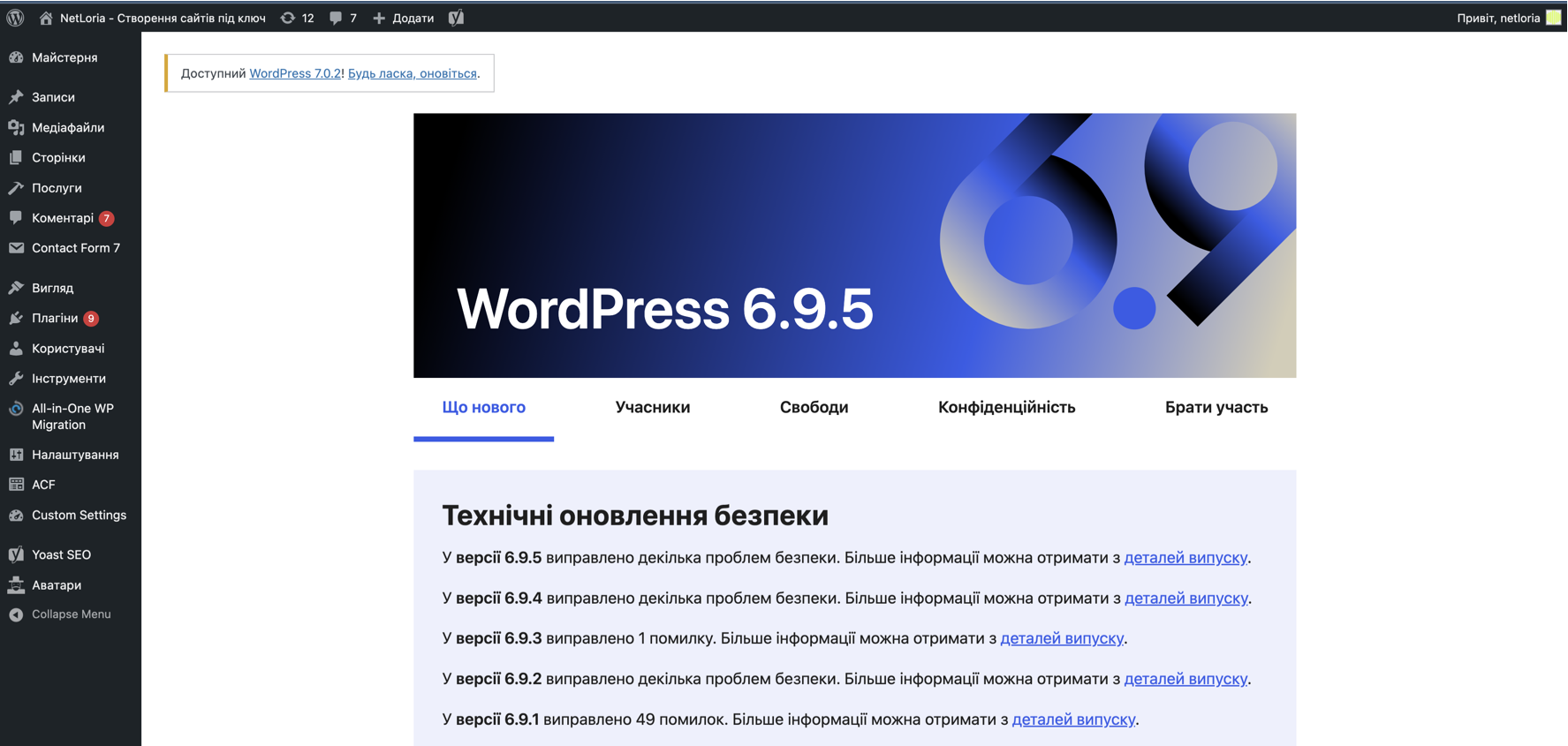
The installation process itself varies by hosting provider, but almost all modern services offer a one-click installer — often through a cPanel-style dashboard and a tool like Softaculous. That means virtually no technical knowledge is needed for a basic site launch today.
If you want a properly configured site right away without the risk of breaking something during setup, this is exactly the point where a company like Netloria takes over the technical side, and the client moves straight into filling the site with content.
After installation, the WordPress dashboard opens up — the control center for your site, where most of your day-to-day tasks happen.
Beginners should just click through each section of the dashboard to get oriented on where everything is before making any major changes.
This trips up almost every beginner. Posts are for regularly updated content: blog entries, news, announcements. Pages are for static content that rarely changes: “About Us,” “Services,” “Contact.” If you’re planning to run a company blog, that’s posts; if you’re describing permanent information about your business, that’s pages.
WordPress offers thousands of themes — free and premium. A theme determines your site’s overall look and structure, and once installed, lets you customize colors, fonts, layouts, navigation menus, and widgets.
An important nuance beginners often overlook: not every good-looking theme performs equally well for speed. A theme overloaded with animations and effects can look impressive but significantly slow down load times — and speed, in turn, affects both visitor retention and Google rankings.
Plugins are used to extend functionality — contact forms, SEO tools, spam protection, CRM integrations. The main rule here: the fewer unnecessary plugins, the more stable and faster your site runs.
The basic set of pages practically every visitor expects to see: Home, About Us, Services, Contact. From there, you can add blog posts related to your core business topic.
Categories and tags help structure content not just for visitors’ convenience, but for search engines too — a logical site structure directly affects how well Google understands what your pages are about.
A dedicated blog section also builds brand trust: regular posts on your topic demonstrate the company’s expertise and gradually increase organic search traffic. At Netloria, we always recommend clients build a blog into the site structure at the planning stage, rather than adding it later.
Plugins like Yoast SEO or Rank Math help you control basic SEO settings right from the dashboard. What to focus on from day one:
SEO isn’t a one-time action, it’s an ongoing process. Basic settings give you a foundation, but real growth in search rankings requires consistent work on content and links.
Google Analytics gives you insight into who’s visiting your site, where the traffic comes from, and how visitors behave. Analytics plugins can additionally help you pull this data right into the WordPress dashboard, without needing to switch to external services.
Site speed is part of performance too: image optimization, caching, and code minification all directly affect how many visitors scroll to the end of a page. We covered these settings in detail in a separate blog post.
A website isn’t a “set it and forget it” project. Regular maintenance includes updating WordPress core, themes, and plugins, creating backups, and staying on top of security. Outdated plugin versions are one of the most common reasons WordPress sites get hacked, so this isn’t a step worth putting off.
| Site Type | Ideal Scenario | Key Elements |
|---|---|---|
| Blog | Personal or professional writing, expert content | Posts, categories, comments |
| Business Site | Presenting services and contact information | Pages, contact forms, reviews |
| Portfolio | Showcasing creative or professional work | Media galleries, custom pages |
| Online Store | Selling products online | WooCommerce, payments, shipping |
If you’re specifically planning an online store, we have a separate detailed guide — a step-by-step plan for launching a WooCommerce store.
Launching a site yourself is a great way to learn the basics, especially for a small blog or personal project. But when it comes to a business website that needs to generate leads and sales, the cost of a mistake goes up: the wrong structure, slow hosting, or a missing SEO foundation can cost you lost clients within the first few months the site is live.
The Netloria team handles the entire cycle — from choosing hosting and architecture to final SEO setup — so your site starts working for your business from day one, instead of turning into an endless work-in-progress. If you’re planning a website for your business and want to get it right the first time, reach out — let’s talk about your project.