⚡ Quick answer: Yoast SEO is a plugin that adds a dedicated box below every post and page for configuring how the material will show up in Google’s search results: the page title (SEO title), a description snippet (meta description), and a focus keyphrase. It also shows a “traffic light” score — a green/yellow/red indicator of how well-optimized the text is and how easy it is to read. The core rule for working with Yoast: the green color is a guideline, not a goal in itself — the text is written for a human, and the plugin’s hints just help you not forget the basics.
Scroll down below the main content editor of a post, before or after the ACF fields (if there are any), and you’ll find a panel with the Yoast SEO logo and a few tabs. This is the one place where it’s genuinely worth consciously configuring something for each individual piece, from an SEO standpoint.
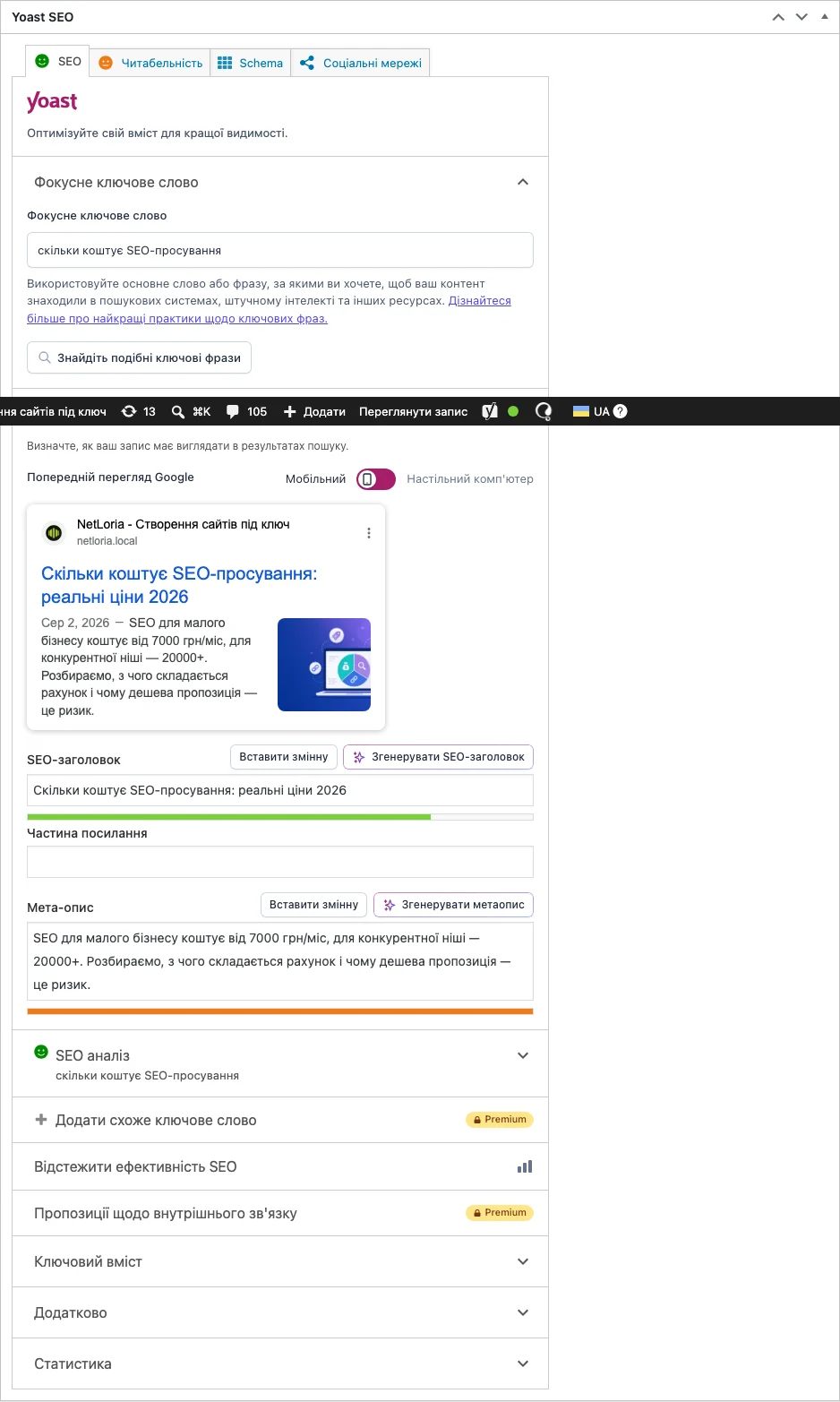
The first field in the Yoast box is “Focus Keyphrase.” This is the search query you want people to find this specific piece under in Google — for an article about website cost, that might be “how much does a website cost.” Yoast uses this field as a reference point for the rest of its analysis: it checks whether the phrase appears in the title, in the first paragraph, in subheadings, and in the meta description.
It’s important to understand: the keyphrase field itself doesn’t automatically “insert” anything into the text, and has no magic effect on Google rankings. The real result depends on how naturally that phrase, and related wording, actually appears in the text itself.
Two of the most important fields in the “SEO” tab:
Below these fields, Yoast shows a “snippet preview” — roughly how the link will look in Google, with separate desktop and mobile versions.
Under each tab, Yoast shows a colored dot:
Below the indicator is an expanded list of specific analysis points with marks: exactly what was checked, and why it was scored that way. Clicking each point often leads to a short explanation of why it matters.
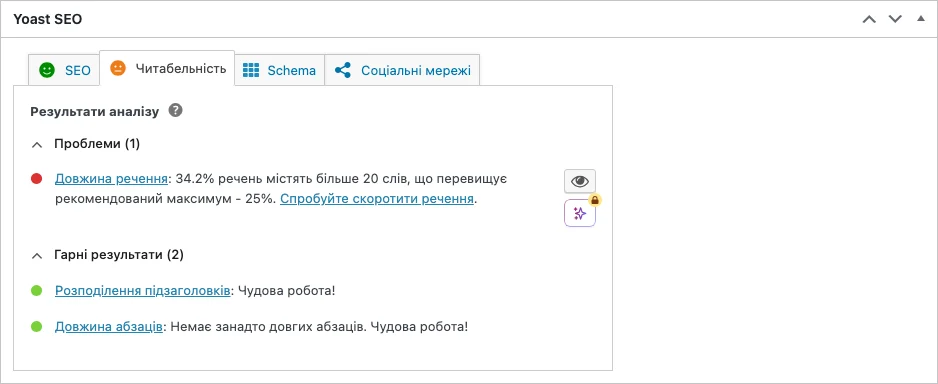
Separately from the SEO analysis, Yoast checks the quality of the writing itself: sentence length, paragraph length, use of subheadings, passive voice, transition words (“however,” “in addition,” and the like). This is a reminder about basic writing quality, not SEO optimization directly — though text that’s easier to read usually keeps a visitor around longer too, which indirectly helps SEO.
This is the most common misconception among people seeing Yoast for the first time. The plugin only checks mechanical, technical signs of text quality — whether the keyphrase appears in the right spots, title length, presence of internal links. It physically cannot assess how useful, unique, or authoritative the content actually is, and knows nothing about the competition for that same query in the search results. A fully green piece that just mechanically repeats the keyphrase with no real value for the reader won’t outrank substantive content with a yellow score.
The right mindset: use the indicators as a checklist of basic technical things that are easy to forget (is the keyphrase in the title? is the meta description too long?), not as a final judge of quality.
| Field | Weak example | Stronger example |
|---|---|---|
| SEO title | Home | Custom Website Development in Kyiv — Netloria |
| Meta description | Welcome to our site | We build websites and online stores for businesses: from $650, timeline from 3 weeks. Free consultation. |
The difference isn’t length — it’s specificity: the stronger version immediately answers “what is this,” “who is it for,” and “roughly how much does it cost or how long does it take” — exactly the information that helps someone decide whether to click this particular result among a dozen others in the listing.
The last tab in the Yoast box, “Schema,” lets you specify the page type for structured data (e.g., “Article” or “Product”) and extra information like author or date. Structured data is a technical way of “explaining” to a search engine what’s on a page, in a machine-readable format the visitor never directly sees. For most posts, the defaults set by a developer when the content type was created work fine without changes — it’s worth consciously going into this tab only for unusual cases (a specific event page with a date and venue, say).
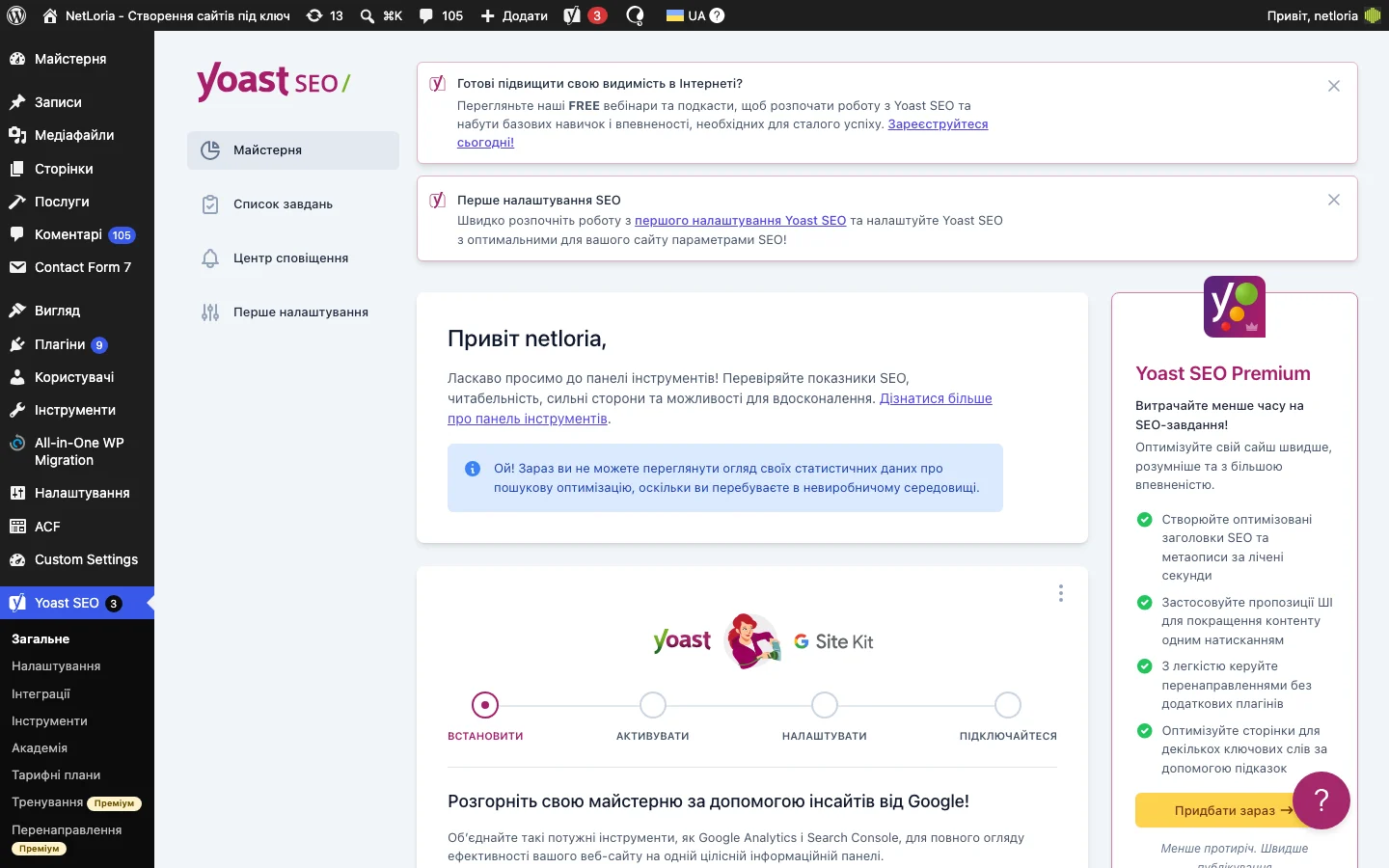
Besides the per-post settings, Yoast has a whole separate section of site-wide settings (the “Yoast SEO” item in the admin sidebar) — default title templates for each content type, Google Search Console connection, sitemap configuration, social media. These are settings a developer usually configures once at site launch; as the person handling content, you don’t need to go there for day-to-day work — your main working tool is the analysis box under each individual post.
Yoast’s technical settings are only part of the bigger picture of site promotion; we covered the general approach and cost of full SEO promotion in our piece on how much SEO promotion costs.
Not technically mandatory — the post will publish without it. But without a set keyphrase, Yoast can’t show a targeted analysis for the specific query you want to promote this material under, so the analysis loses its point.
Yoast Premium (the paid version) has an Additional Keyphrases feature, with separate analysis for each. The free version supports only one primary phrase per post.
Open the list of specific analysis points under the indicator and see exactly what’s failing — often it’s something minor and formal (the phrase isn’t in the first paragraph, say) that’s easy to fix without changing the substance of the text. If a specific check genuinely doesn’t make sense for this type of content, it’s fine to consciously ignore it.
Yes, there’s a separate minimum word-count check — very short texts (under a few hundred words) are usually flagged as a potential issue, since it’s harder for a short piece to fully cover a topic and naturally include the keyphrases.
Worth reviewing, especially if the topic or focus of the article changes — the old keyphrase or description may no longer match the updated content. For minor edits that don’t change the substance, re-configuring isn’t necessary.
Functionally, the plugins are similar — both show keyphrase, readability, and sitemap analysis, and manage meta tags. The differences are mostly in interface details, the exact set of additional checks, and free-version limits. If a site is already built on one of them, there’s no practical reason to switch to the other without a strong motivation — both cover the same basic needs.
Yoast doesn’t manage alt text directly (that’s a media library field, covered in a separate piece on working with files) — but the analysis does check whether keywords appear in at least one image on the page. Only put the keyphrase in alt text when it naturally describes that specific image, not just to satisfy the indicator.