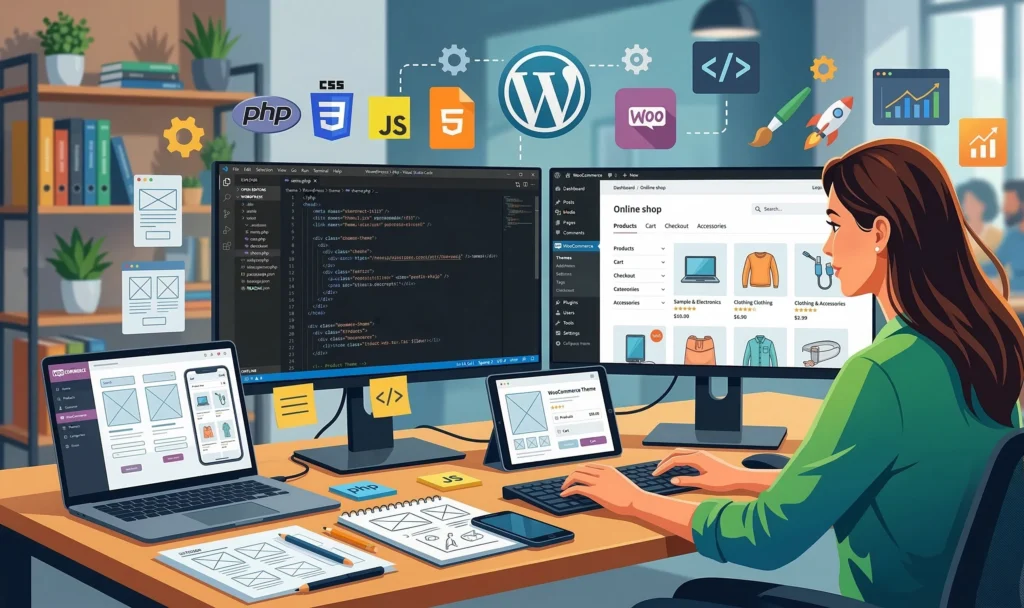
⚡ Quick answer: WordPress is a great fit when a site’s content changes regularly and you need flexibility without constantly involving a developer — online stores, corporate websites, blogs, landing pages. It’s not a fit for online games, apps, or services with heavy real-time computation. The main risk isn’t the platform itself, but self-maintenance: 15-20 forgotten, unupdated plugins break a site’s speed and security faster than any actual shortcoming of WordPress itself.
At Netloria, we get at least one question a week that sounds the same: “Should we build our site on WordPress, or is something else better?” The answer is never one-size-fits-all, because it depends not on platform trends, but on what the business actually wants from its website. In this piece, we’ll break down why WordPress became such a dominant platform, who it genuinely suits and who it doesn’t, where the line falls between “DIY” and “hand it to a team,” and why maintaining a site matters more than which CMS you pick in the first place.
At the end of 2024, WordPress held 43% of the market among all sites built on any CMS — nearly half of the 81.6 million such sites worldwide, according to BuiltWith Trends, which tracks site technologies in real time. That number is striking, but it’s not an accident: the platform is over 20 years old, and the entire time it’s been developed not by a single company, but by thousands of developers worldwide who know PHP and build plugins and themes for it. It’s open source in the truest sense — anyone can add functionality the official team hasn’t gotten around to building yet.
That’s exactly why WordPress powers not just small businesses, but publications like TIME or Vogue — the platform handles both a modest few-page blog and a media outlet with millions of views equally well.
A simple rule applies here: if a site needs regularly updated content and a structure that can change without involving a developer every time, WordPress is probably a good fit.
| Good Fit | Better to Look Elsewhere |
|---|---|
| Online stores (via WooCommerce) | Online games and interactive apps |
| Brochure and corporate websites | Services with heavy real-time computation |
| Blogs, media, corporate publications | Mobile apps — that’s simply not what WordPress is for |
| Landing pages for a specific offer or promotion | — |
| Portfolios and service websites | — |
In Netloria’s own client work, the first two items on the left are what’s ordered most often — online stores and corporate websites — and in both cases WordPress gives enough flexibility to later add multiple languages, a chatbot, CRM integration, or an appointment booking form, without rebuilding the site from scratch.
In practice, requests usually boil down to three recurring scenarios. The first is a small clothing or accessories store that needs a catalog with variations (size, color) and on-site payment, without building from scratch. The second is an educational platform with courses, where plugins like LearnDash let you sell lesson access and track student progress just like a dedicated LMS service would. The third is a service-business brochure site, where the main goal isn’t design flair but a booking or inquiry form that flows straight into a CRM. None of these three scenarios require writing code from scratch — everything is handled by a combination of a theme and a few proven plugins.
The WordPress dashboard looks simple, until you actually start configuring something in it. So before you begin, it’s worth understanding three basic concepts.
There are two more things worth mentioning that clients usually bring up only after the project has already started, though they’re better planned for in advance. First, multiple languages: if the site needs to serve audiences in different countries, WordPress handles that with plugins like WPML or Polylang, which let you maintain separate versions of every page and post rather than translating “on the fly” through a third-party service. Second, integrations: thanks to WordPress’s built-in REST API, it’s easy to connect it to a CRM, an email service, or a booking system, so “the site as a storefront, with data living somewhere else entirely” isn’t the typical setup here — data can flow both ways without manual transfers.
We often see the same scenario: a site owner installs 15-20 plugins “just in case,” and never updates half of them. A year later the site starts slowing down, and at some point becomes vulnerable to attacks — and the cause is usually not the WordPress platform itself, but exactly those outdated plugins. Netloria regularly fixes the fallout from these stories during technical audits: often it’s enough to remove the clutter and update the critical components to get the site running fast and securely again.
The minimal set of habits that removes most of this risk is small and requires no technical background:
Partly — yes, but “out of the box” isn’t enough. By default, WordPress generates clean, readable URLs and gives you full control over headings and page structure — already better than a lot of website builders. But the engine alone won’t fill in your meta descriptions, won’t generate structured data (Schema.org) for your pages, and won’t build a correct sitemap — that’s the job of a separate SEO plugin (Yoast SEO or Rank Math) and, more importantly, of a person who regularly checks that the plugin hasn’t silently stopped working after a theme update. In our audit work, this is one of the most common surprises: the owner is confident the SEO plugin “just works,” when in reality part of its output — Schema.org markup, for example — is quietly failing to render due to a conflict with the theme or a caching plugin, and no one notices until traffic starts stalling.
The official WordPress.org is the engine itself: extensive documentation, developer forums, thousands of free themes and plugins. WordPress.com is a commercial hosting provider that uses the same engine, but adds its own management dashboard, support, and server stability for an extra fee. The difference between them isn’t the CMS itself — it’s who’s responsible for the server and technical support.
The difference between WordPress.org and WordPress.com also affects your budget: on .org, you pay for hosting and a domain separately (and can choose any provider you like), while on .com, some conveniences are already baked into the plan — but with less flexibility, and moving to your own hosting later can be technically awkward.
There’s a third option rarely mentioned in general platform overviews: ordering a turnkey site from a studio. The difference here isn’t just who’s clicking buttons in the dashboard — it’s how much time a business owner spends on things that don’t make them money directly. Two or three hours figuring out why a plugin isn’t working, multiplied by a few times a month, is no longer a “free” option — it’s a hidden cost that’s rarely counted in advance.
| Option | Speed to Launch | Skills Needed | Who’s Responsible for Security and Updates |
|---|---|---|---|
| DIY on hosting | A few days to a week | Basic technical + design | The site owner |
| DIY locally, then migrate | A week or more | Technical: server, database, PHP | The site owner |
| Turnkey with Netloria | No client involvement in the technical part | None needed | The studio’s team |
If you don’t have the time to learn it yourself, and you need a site for a real business rather than as a learning exercise, the third option usually ends up cheaper than the hours spent trying to fix whatever went wrong on your own.
To sum up: the question “WordPress or not” is rarely worth the time people spend deliberating over it. A far more important question is who will be responsible for updates, backups, and SEO settings a year after launch, once the initial enthusiasm has faded and the site is already working for the business every day.
If you’ve already decided WordPress is right for you and want to take the first steps yourself, we have a detailed beginner’s guide. If it’s specifically about an online store, we separately wrote up a step-by-step WooCommerce launch plan.
And if you’d rather not figure out why a plugin conflicts with your theme, or why Schema markup disappeared after an update — the Netloria team handles the entire technical side for you: from choosing a theme to security and basic SEO setup. Check out our service catalog and pick the format that fits your business.